Your ad has a great product, sharp visuals, and a strong offer. But if the first few seconds fail to hold attention, most viewers may never see the part that matters. Are you opening with the strongest shot? Does every cut move the message forward? Is the CTA clear?
Effective video editing makes each second count. It removes unnecessary footage, keeps the product message clear, and leads viewers towards the next step without distracting effects or drawn-out transitions.
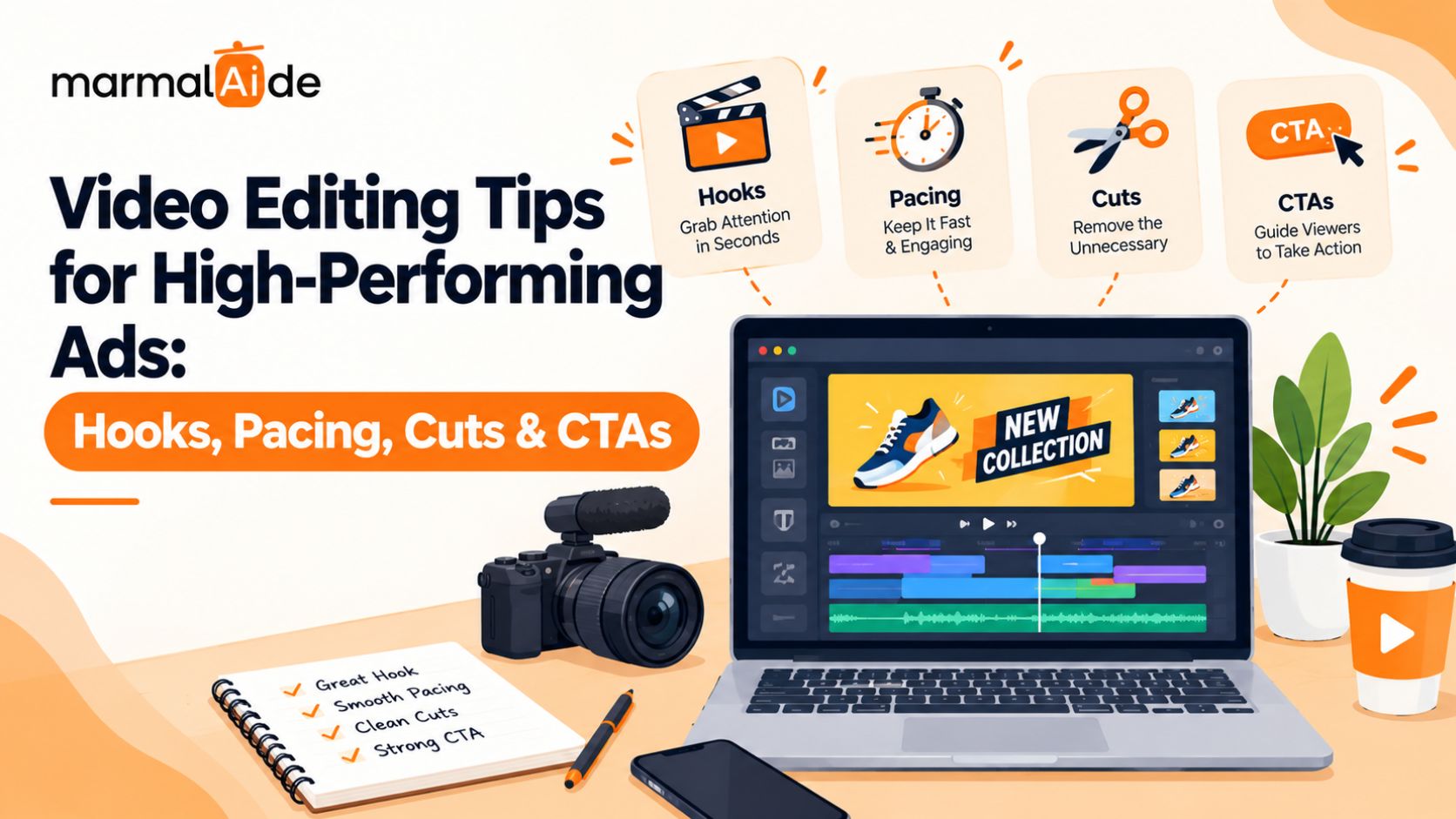
This article covers video editing tips for high-performing ads, including hooks, pacing, cutting techniques, social media edits, and CTAs.
What Makes Video Editing Effective for Advertising?
Video editing for advertising should make the offer easier to grasp and the next step easier to take. Every shot, caption, and cut should support the campaign’s purpose. Start by asking three questions: Who is this ad for? What should the viewer understand? What action should they take? Those answers shape the edit.
A brand-awareness ad may need a memorable product moment. A direct-response ad may need a clear benefit, proof, and offer. Treating both the same way can leave the first forgettable and the second unconvincing.
How to Edit an Ad Hook That Stops the Scroll
Don’t make viewers wait for the point. Open with the strongest moment your footage can support, whether that’s a product demonstration, a recognizable problem, or a clear benefit.
Try these video editing tips and tricks:
- Lead with the useful part. Move the product demonstration or strongest claim ahead of the background explanation.
- Drop the formal introduction. A logo animation rarely needs to precede the reason someone should watch.
- Pair the first frame with the first line. The visual and voice-over should tell the same story.
- Build more than one opening. A question, a product close-up, and a problem-led statement offer different ways into the same message.
Don’t assume the most dramatic hook will perform best. Test different openings with the intended audience and judge them against the campaign goal. For more on testing hooks and creative concepts against campaign goals, read Performance Creative Strategy: Best Practices.
Video Pacing Tips: Make Every Cut Earn Its Place
Fast editing isn’t automatically good editing. A sequence of rapid cuts can make a product demonstration harder to follow, while a static shot can work when the viewer needs to examine a detail. The right video cutting techniques depend on what the shot needs to communicate.
| Technique | Purpose |
| Jump cuts | Remove pauses and tighten delivery. |
| Cutaways | Show relevant product footage. |
| Cuts on action | Connect movements across shots. |
| Match cuts | Link shots through similar visuals or movements. |
| J-cuts and L-cuts | Carry audio across scene changes. |
Use these video editing techniques to remove friction from the story. Don’t add transitions simply because the editing software offers them. For advanced video editing techniques, pay attention to rhythm. Alternate quick shots with longer holds when the message needs more time. Remove a shot if it adds neither information nor a useful visual beat.
How to Edit Captions, Sound, and Effects Without Cluttering the Ad
Every extra element competes for attention. Captions, music, overlays, and effects should help viewers follow the message, not give them five things to watch at once.
Keep the execution simple:
- Captions: Use readable text, correct errors, and highlight only the words that deserve emphasis.
- Sound: Keep the voice-over clear. Lower the music when it competes with speech.
- B-roll: Show the feature or action being discussed instead of cutting to unrelated footage.
- Color and lighting: Correct inconsistent shots so the product looks clear and the sequence feels cohesive.
- Effects: Use animation or transitions when they direct attention or explain an idea. Remove them when they serve no purpose.
These editing choices matter in short-form ads, where a crowded frame can make the message harder to follow. They also help professional video editing feel intentional without making every shot look overproduced.
How to Edit Videos for Different Social Media Platforms
One master edit rarely suits every placement without changes. Video editing for social media should account for screen size, platform layout, viewing habits, and the action the campaign wants viewers to take.
For short-form video editing, review the opening and framing before exporting multiple versions.
- Instagram Reels: Keep the product and key text clear of interface elements.
- TikTok: Test direct openings and edits that feel natural in the feed.
- YouTube Shorts: Establish the premise quickly and keep the sequence easy to follow.
- Paid social ads: Make the offer and CTA clear, then check each placement’s specifications.
Repurposing footage can save production time, but don’t treat a vertical crop as a finished platform edit. Adjust the shot selection, text placement, and CTA where needed. For guidance on adapting video creative to different formats, explore Reviews of Multi-Format UGC Video Platforms. For Instagram-specific ideas, see AI-Generated Content for Instagram: Ideas, Tools & Best Practices.
How to Edit a Video Call to Action That Moves Viewers Forward
A video call to action needs a clear verb and a relevant next step. “Shop now,” “Get a quote,” and “Book a demo” tell viewers what to do. A vague closing line leaves them to work it out. Make the CTA part of the edit rather than an afterthought. Give it a clear place in the sequence, keep the wording consistent with the offer, and make sure the landing page follows through.
The CTA should also suit the viewer’s level of interest. Someone seeing a product for the first time may need more information. Someone viewing a limited-time offer may be ready to buy. Don’t use urgency the offer can’t support. A strong CTA makes the next step clear; it doesn’t need exaggerated claims to get attention.
How to Tell Which Ad Edits Are Working
A good-looking edit isn’t proof of a good-performing ad. Review the metric that reflects the problem you’re trying to solve.
- Low early retention: Check the hook, opening frame, and time taken to reach the main point.
- Strong retention but few clicks: Review the offer, message, and CTA.
- Clicks without conversions: Check the landing page, audience fit, and consistency between the ad and destination.
- Rising acquisition costs: Compare creative performance with audience, delivery, and conversion changes before blaming the edit.
Test one major variable at a time. Change the hook, for example, while keeping the offer and audience consistent. That gives you a clearer basis for deciding what to change next.
Marmalaide’s guide to performance creative strategy explores how creative testing fits into a wider campaign process.
Video Editing Checklist for Ads Before Publishing
Before you export, check the details that can undermine an otherwise solid edit:
- Does the first frame support the hook?
- Can viewers understand the offer without unnecessary setup?
- Do the cuts preserve the message and make the sequence easy to follow?
- Are captions accurate and legible?
- Is the voice-over clear against the music?
- Does the CTA tell viewers what to do?
- Does the landing page match the ad?
- Have you checked framing, safe zones, and export settings?
How Marmalaide Helps Teams Produce More Ad Variations
Testing creative requires more than one polished video. Teams may need different hooks, product angles, cutdowns, and versions for separate placements. Marmalaide combines generative AI with human creative direction to produce video ads and campaign assets for brand, social, and performance teams. Its AI video production services support teams looking to create campaign content without relying on a separate traditional production process for every variation.
For more on scaling creative output, read Gen AI Video Content for Growth Marketing. Need more variations to test in your next campaign? Talk to Marmalaide about your creative production goals.
FAQs
What are the best video editing tips for beginners?
Start by trimming unnecessary footage, arranging clips in a clear sequence, adding readable captions, and balancing audio. Learn basic cuts before using complex transitions or effects.
How do you edit videos for ads?
To edit videos for ads, select the strongest opening, remove unnecessary footage, keep the product message clear, and end with a specific call to action. Review the edit against your campaign goal before publishing.
What is the difference between video editing techniques and video effects?
Video editing techniques shape the sequence, timing, and flow of clips. Video effects change how footage looks or sounds, such as through color correction, motion graphics, or visual filters.
Can you use the same video footage across different campaign objectives?
Yes, if the footage supports each objective. You may need a different opening, sequence, or CTA to suit the audience’s intent. Don’t assume the same edit will work equally well for awareness and conversion campaigns.
Should you replace an ad’s footage or edit the existing version?
Keep the existing footage if it still supports the message and the problem lies in the hook, pacing, or CTA. Replace shots when they fail to demonstrate the product, support the claim, or fit the audience.
What should you check when an exported video looks different from the editing preview?
Check the export resolution, frame rate, color settings, compression, and platform upload settings. Compare the downloaded file with the editing preview before publishing, especially when captions, colors, or fine product details matter.
When should you refresh an ad that has stopped performing?
Refresh the ad when its performance declines against the campaign’s usual results and the data points to a creative issue. Review retention, click-throughs, conversions, and delivery conditions first. Then change the part of the ad most likely to be causing the decline.