Marketing teams need video content for paid ads, social media, product launches, and brand campaigns. Finding the right footage for every channel can take time, especially when campaigns require fresh creative, multiple formats, and frequent updates. That is where a structured video content sourcing process helps.
Instead of relying on one source, teams can choose between UGC, stock footage, AI-generated video, and professional production. In this article, we’ll explain how to source a video, when each option works best, and how to build a repeatable process for marketing campaigns.
What Are the Main Ways to Source Video Content?
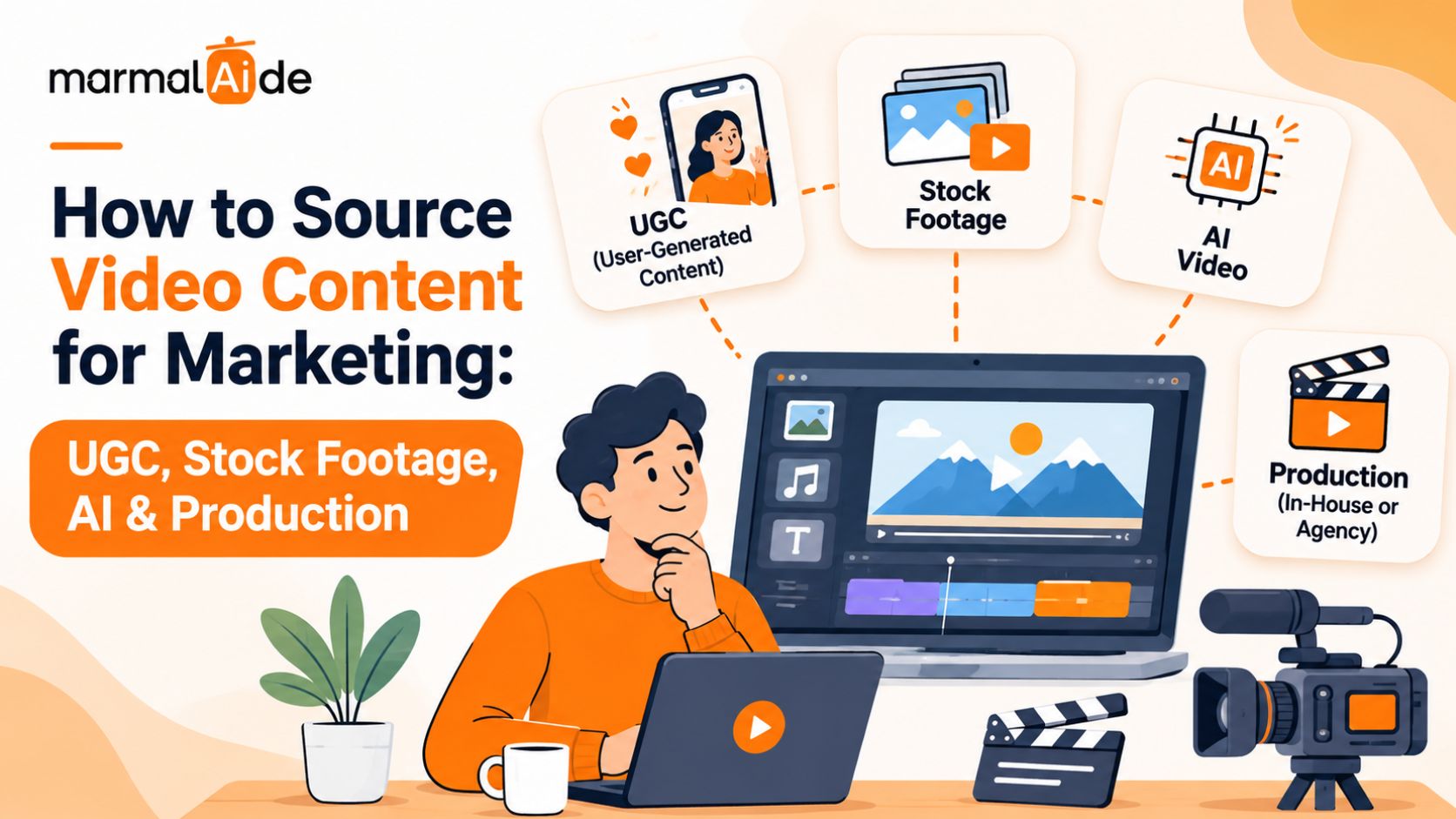
The four main ways to source video content are UGC, stock footage, AI-generated video, and professional production. Each option serves different creative requirements, budgets, and production timelines.
UGC: Creator-made videos for product demonstrations, testimonials, and social ads.
Stock footage: Pre-recorded clips that marketers can license for their projects.
AI-generated video: Video content created or modified with generative AI tools.
Professional production: Original video created with a dedicated production team.
The right choice depends on the campaign brief. Some projects need authentic creator-led content, while others require precise product visuals or original storytelling.
How to Source a Video for Marketing
To source a video for marketing, define the campaign requirements, shortlist suitable sources, confirm usage rights, and review the final asset before publishing. A clear brief helps teams choose the right approach without spending time on unsuitable footage.
1. Define the Campaign Requirements
Start with the audience, campaign objective, message, budget, and delivery deadline. Specify the video duration, platform, aspect ratio, and any additional versions the campaign needs. These details help you determine whether existing footage, creator-made content, AI, or professional production will suit the project.
2. Find and Evaluate Potential Sources
Review relevant creators, stock libraries, AI tools, and production partners. Compare their work, pricing, delivery timelines, and ability to meet your requirements. Ask for relevant samples and clarify what the quoted price includes. Check revision limits and delivery formats before committing to a source.
3. Confirm Usage Rights
Check commercial permissions before approving an asset. For UGC, review creator agreements and paid advertising rights. For stock footage, check the license terms. For AI-generated video, review the tool’s commercial-use conditions. Keep the relevant permissions with the final files so your team can verify them before reusing an asset.
4. Review the Final Video
Check the video against the original brief. Confirm product accuracy, brand alignment, message clarity, audio quality, and platform specifications. Resolve any visual or factual issues before the video enters a live campaign.
What Is Stock Footage and When Should You Use It?
Stock footage is pre-recorded video that users can license for creative projects. It helps marketing teams add relevant visuals without arranging a new shoot for every scene.
Where Can You Find Stock Footage?
You can find stock footage through free and paid video libraries. Search by subject, setting, action, and visual style to narrow the results. For example, a software company may need clips of workplace collaboration or people using laptops. Specific searches make it easier to find footage that fits the campaign.
What Should You Check Before Using Stock Footage?
Review the license for commercial use, paid advertising, editing rights, attribution, and redistribution restrictions. Check whether the footage includes people or property that require additional permissions. A free download does not automatically grant unrestricted commercial use.
When Does Stock Footage Work Best?
Stock footage works well for background scenes, general business visuals, explainers, and supporting shots that do not require original filming. It may not suit campaigns that need distinctive brand visuals, precise product demonstrations, or genuine customer experiences.
How Does UGC Video Sourcing Work?
UGC video sourcing involves obtaining creator-made videos for a brand’s marketing campaigns. Common formats include product demonstrations, tutorials, unboxings, reviews, and testimonial-style ads.
Where Can You Source UGC Videos?
Brands can find creators through UGC marketplaces, creator agencies, direct outreach, and existing customer communities. Review each creator’s portfolio for relevant experience, clear delivery, and the ability to follow a brief. Follower count matters less when you need a video for your own advertising rather than a post on the creator’s account.
How Do You Brief UGC Creators?
Provide the product details, target audience, key message, required shots, deliverables, and deadline. Include brand guidelines and any claims the creator must avoid. Give creators room to use their natural speaking style while keeping the campaign message clear.
What Permissions Do You Need for UGC Videos?
Specify usage duration, permitted channels, paid advertising rights, editing permissions, and any requirements for publishing on the creator’s account. Agree on these terms before production begins and keep the signed agreement with the final asset.
How Can You Use AI-Generated Video for Marketing?
AI generated video for marketing uses generative tools to create or modify video scenes and visual assets. It can help teams explore creative concepts, test visual directions, and develop campaign variations.
When Should You Use AI-Generated Video?
AI can support concept testing, stylized scenes, product storytelling, and creative variations. Teams can explore different visual approaches before committing to a larger production. For social campaigns, see Marmalaide’s guide to AI-generated content for Instagram.
What Are the Limitations of AI-Generated Video?
Generated footage may contain inconsistent product details, unnatural movement, distorted objects, or incorrect text. These issues can affect brand credibility if the team publishes the content without review. Check the output carefully and verify product claims. Use real footage or additional editing when AI cannot meet the brief.
When Should You Choose Professional Video Production?
Professional video production suits projects that require original footage, precise creative direction, or detailed storytelling. A dedicated team can plan the script, scenes, filming, and editing around the campaign objective.
Which Projects Need Professional Production?
Consider professional production for brand films, product launches, complex demonstrations, and campaigns that require specific locations, talent, or controlled product shots. These projects often need more control than stock footage or generated visuals can provide.
What Should You Expect From a Production Partner?
Depending on the scope, a production partner may manage concept development, scripting, storyboarding, filming, editing, sound design, and final delivery. Confirm the deliverables, revision rounds, usage rights, and deadlines before work begins.
Marmalaide offers AI video production services for brands that need creative direction and video assets without managing every production task in-house.
For a closer look at the cost trade-offs, read Video Content on a Budget: How Generative AI Is Democratizing Professional Video Production.
UGC vs. Stock Footage vs. AI Video vs. Professional Production
Each sourcing method has different strengths. Use the comparison below to identify which option fits your campaign.
| Source | Best suited for | Main consideration |
| UGC | Product demonstrations and creator-led ads | Creator fit and usage rights |
| Stock footage | Background visuals and explainers | Licensing and relevance |
| AI-generated video | Concept testing and creative variations | Accuracy and review |
| Professional production | Brand films and complex product stories | Budget and production time |
You can combine sources when the campaign requires different types of content. For example, a team may use original product footage alongside stock clips and AI-assisted creative variations. For ecommerce campaigns, AI video ads for Shopify brands offer a more focused look at product-led advertising and video creative options.
How to Build a Repeatable Video Content Sourcing Process
A repeatable video content sourcing process helps teams manage suppliers, permissions, and asset records across campaigns. It also makes it easier to find existing content before commissioning new work.
Maintain an Approved Source List
Keep a central record of reliable creators, stock libraries, AI tools, and production partners. Include their specialties, pricing, and typical delivery times.
Track Usage Rights and Costs
Record each asset’s source, license, permitted channels, usage period, cost, and renewal date. This helps the team identify which videos are available for reuse.
Standardize Review and Approval
Assign responsibility for creative review, brand approval, and rights checks. A shared checklist helps reviewers focus on specific issues and reduces unnecessary revision rounds.
Use Campaign Results to Guide Future Sourcing
Compare performance by creative source, format, audience, and campaign objective. Use these insights to inform future briefs instead of assuming one source will perform best across every campaign.
How Can Marmalaide Support Your Video Content Sourcing?
Marmalaide combines filmmaker-led creative direction with generative AI to produce video ads and campaign assets. Its team manages the process from concept and scripting through production, editing, review, and delivery.
For marketing teams, Marmalaide can create:
AI UGC ads for paid social and product promotions
Product and explainer videos for launches and customer education
Founder and brand story videos for brand-led campaigns
Video cutdowns and creative variations for different placements
Static ads and carousel creatives to support multi-channel campaigns
Marmalaide offers subscription plans with full creative services for ongoing production. This gives marketing teams a managed way to produce campaign assets without coordinating separate resources for every stage.
Related reading: AI Ad Creatives for Apps
Want to Test Marmalaide Before Scaling?
Marmalaide’s $1,999 Pilot includes a 30-second master commercial, two 10–15-second cutdowns, and two static ads or posts. It also includes adaptations for different channels, campaigns, SKUs, and geographic targets.
The Pilot lets your team assess the creative output and production process before moving to ongoing production.
Start with the Marmalaide Pilot
FAQs
How do you brief a video production team to reduce revisions?
Give the team an approved script, brand guidelines, visual references, and clear feedback from one decision-maker. Agree on deliverables and approval stages before production starts.
Can one marketing video be adapted for different platforms?
Yes. Create platform-specific versions with suitable aspect ratios, opening hooks, captions, and durations. Keep the main message consistent while adapting the edit to each placement.
What files should you prepare before commissioning a marketing video?
Prepare product images, logos, brand guidelines, approved claims, reference assets, and any required disclaimers. Share the campaign objective and target audience so the production team can shape the creative around them.
How should marketing teams manage video versions across campaigns?
Store approved videos in a shared asset library with clear file names, version numbers, campaign tags, and usage notes. This helps teams find the right asset and avoid publishing outdated edits.
How can you tell if an AI-generated marketing video is ready to publish?
Check product details, on-screen text, brand consistency, visual errors, audio, and platform specifications. Confirm that the final asset meets your quality standards and that you have the necessary commercial-use permissions.